Welcome!
I’m a Senior Digital Accessibility and Lead UX Specialist with 30+ years in IT, blending extensive technical experience with a strong focus on human-centered design. For more than 25 of those years I’ve been designing and building web applications, and for the past 16 I’ve specialized in Section 508 and WCAG compliance—making sure digital products work for everyone, not just the “average” user. My work spans UI/UX and HCD, web design and development, video production, e-learning, and interactive multimedia for Fortune 500 companies, federal and state agencies, and small businesses.
I’ve led UX and accessibility efforts for mission-critical web and mobile applications at organizations including CDC, NIH, VA, eRA, Allstate, Lockheed Martin, and Leidos. As a certified DHS Section 508 Trusted Tester, I integrate accessibility into every stage of the process: user research, wireframes, and high-fidelity prototypes; accessibility-first design systems and component libraries; and responsive front ends built with HTML, CSS, JavaScript, and Bootstrap. I also support RFPs and product teams by drafting VPAT/ACR documentation and helping organizations integrate inclusive design throughout the development lifecycle.
Recently, I created 60+ video lessons for 508tutorials.com to help students pass both the Trusted Tester exam and learn to think like a trusted tester. I’ve led the UX and requirements for applications including the CarbonCard and GoFundPlay mobile apps, producing high-fidelity prototypes and detailed specifications. I also built Red Sky Health Guard, a cloud-based data visualization dashboard and mobile app focused on protecting businesses and their personnel, and produced the pilot episode of History Roads, a 30-minute show exploring the history of American towns and regions.
Over the past several years, I’ve increasingly focused on using large language models (LLMs) and AI agents to automate and augment how people work, especially in design, accessibility, and content-heavy workflows. My approach emphasizes well-structured, layered prompts that clearly define roles, objectives, constraints, and context so results are accurate and optimized for real-world workflows. I use techniques such as step-by-step decomposition, reusable prompt templates, and structured input/output patterns to make AI agent behavior predictable, auditable, and easy to refine over time. My goal is to use AI to extend people’s capabilities, save time, and improve quality—not replace human expertise. My certifications include Google UX Design, ITIL 4 Foundation in Service Management, Scrum Master, and DHS Section 508 Trusted Tester, and I’m an FAA Part 107 Licensed Remote Pilot.
AI & Human-Centered Design (HCD) for Government Agencies Guide
I recently authored AI & Human-Centered Design (HCD) for Government Agencies after decades working in State and Federal Government along with Fortune 500 companies. This comprehensive guide is designed to help designers seamlessly integrate AI and HCD principles into government projects, ensuring user-centered, accessible, and effective digital solutions.
The guide covers core Human-Centered Design (HCD) methodologies to ensure web applications prioritize both user experience and accessibility. It provides detailed guidance on Section 508 and ADA compliance, helping designers build engaging experiences that meet federal requirements. It also includes practical ChatGPT and AI techniques, such as creative prompt engineering, that help designers quickly generate HTML, CSS, and JavaScript for mockups and working prototypes, streamlining the entire design-to-development process.
To help you quickly kickstart the design planning process, I've included a sample Style Guide focused on UI, UX, and Human-Centered Design (HCD). It offers best practices for typography, color schemes, and UI components, ensuring an intuitive and accessible experience tailored for government applications. Whether you're modernizing digital services or improving accessibility, this guide serves as a valuable tool for creating innovative, user-friendly, and compliant government web-based application solutions.
Certifications
Security Clearance: T2 Public Trust
Google UX Design
ITIL 4 Foundation in IT Service Management
DHS Section 508 Trusted Tester
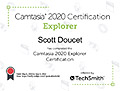
Camtasia Explorer
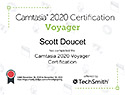
Camtasia Voyager
FAA Unmanned Pilots License
Skills
508 & WCAG Accessibility Specialist
- DHS Section 508 Trusted Tester Certified
- Accessibility Testing: Manual, NVDA, JAWS & ARIA patterns
- ANDI, WAVE, Color Contrast Analyser, Chrome DevTools
- Documentation, VPAT/ACR
I am an Accessibility Specialist with extensive, hands-on experience evaluating websites, web applications, and digital training against the Revised Section 508 standards and
WCAG guidelines. I follow the official DHS Trusted Tester methodology, which means my audits are structured, comprehensive, and manually inspected—not just quick scans or
automated reports.
With more than 30 years in IT, UI/UX, and front-end development, I approach accessibility from both a compliance and user-experience perspective, focusing on how people with
disabilities actually interact with content using screen readers, keyboards, magnifiers, and other assistive technologies.
Beyond identifying 508 and WCAG issues, I can also assist teams and remediate them directly. I have decades of experience with CSS, HTML, and responsive front-end development,
and I regularly translate audit findings into clean, accessible code solutions that your development team can adopt and reuse. I also create accessibility-focused style guides
and component patterns that document headings, color contrast, focus states, form controls, error handling, and interactive elements in a way that’s 508 and WCAG compliant.
The combination of accurate testing, hands-on remediation, and clear guidance helps organizations fix current accessibility issues while building a maintanable,
accessibility-first workflow.
AI Agent Development & Creative Prompt Engineering
Over the past several years, I’ve focused on using large language models and AI agents to automate and augment how people work—especially in design, accessibility, and managing content-heavy processes. I design and configure agents that can support tasks like generating context-aware UX concepts, performing first-pass accessibility checks, automating youth sports promotional reels and fundraising campaigns, and helping users organize and process complex information.
Creative, well-structured prompt engineering is critical to consistently achieving accurate, high-quality results. I craft layered, context-rich prompts that give LLMs the right role, objectives, constraints, and examples so the output is not only accurate, but aligns with the voice, audience, and workflow it needs to serve. I use techniques like step-by-step decomposition, reusable prompt templates, and structured input/output formats to make agent behavior predictable and easily modifiable. Those same patterns are then used to “train” and refine AI agents, so they become more accurate over time and fully integrated into existing workflows.
My AI work blends technical implementation with a strong Human-Centered Design and accessibility lens. I think carefully about prompts, guardrails, and user workflows so that AI agents are helpful, transparent, and trustworthy rather than intrusive or confusing. My primary goal: incorporate AI solutions to empower people to produce more, save time, and extend their capabilities—not replace them or their expertise.
UI/UX Human Centered Design (HCD)
- Figma / Adobe XD / FlutterFlow / Sketch / Balsamiq Wireframes
- Bootstrap / HTML / CSS / XML / JavaScript / JSON
- Google UX Design Certification
- Adobe Photoshop, Illustrator
My UI/UX and Human-Centered Design focus starts with one simple question: what is the user trying to accomplish—and what are the requirements, business rules, and goals around that task? I use research, task flows, wireframes, and high-fidelity prototypes to design experiences that are intuitive, accessible, and aligned with the project’s objectives. Over the years, I’ve designed interfaces for visual dashboards, mission-critical web applications, and mobile experiences that support complex work while providing an enhanced user experience.
Human-Centered Design is the core of how I evaluate and design project interfaces and workflows. I collaborate with stakeholders to clarify requirements, test ideas early, and
iterate quickly, balancing user needs with business requirements and technical realities. I work fluently across both UX and front-end implementation and help teams turn
prototypes into production-ready interfaces that look polished, behave consistently across devices, and prioritize accessibility from the start.
These processes are also outlined in my guide,
AI & Human-Centered Design (HCD) for Government Agencies, where I show teams how to use AI tools to quickly prototype and refine ideas while maintaining accessibility and adhering to UX best practices.
Web Design & Development
- Figma / Adobe XD / FlutterFlow / Balsamiq Mockups
- Bootstrap / HTML / CSS / XML / JavaScript / JSON
- WordPress / Joomla
- Miro Collaboration Platform
- Visual Studio Code / Visual Studio
I design and build contemporary websites and web applications that are clean, responsive, and easy to maintain. My experience ranges from single-page personal sites and funnel-driven marketing landing pages to complex data-visualization dashboards and highly interactive interfaces for state and federal agencies. I am fluent with HTML5, CSS, and Bootstrap, and use JavaScript to create fully functional, front-end prototypes that integrate cleanly with back-end systems, scale gracefully across screen sizes, and are SEO-friendly.
On every project I pay close attention to details that are easy to overlook—such as typography, spacing, performance, semantic structure, and accessibility, including proper ARIA patterns and thorough testing with assistive technologies. I am skilled at modernizing older sites, updating content, and enhancing the visual design while keeping the codebase organized and developer-friendly. Whether you need a brand-new build or an overhaul of an existing site, my goal is to deliver a professional web presence that loads quickly, enhances the user experience, and is easy to maintain.
Video Production
- Adobe Premiere Pro / Apple Final Cut Pro / Camtasia Studio
- Adobe Audition / After Effects / Apple Motion
I bring a storytelling mindset to video production, computer-based training, and marketing demos, with a particular focus on turning dry training content into videos that are interesting, engaging, and still highly informative. My background includes scriptwriting, producing, directing, voiceover, and post-production effects, and I’ve applied those skills to everything from short training modules to longer-format productions like the 30-minute History Roads pilot I produced and directed in 2022 ( historyroads.com ), creating content that is clear, compelling, and entertaining.
I’m comfortable working with subject-matter experts and stakeholders to translate technical or policy-heavy content into clear visual narratives. Beyond producing and editing, I focus on pacing, clarity, and accessibility, using graphics, titles, and captions to support viewers with different needs and viewing environments. Whether you need a corporate video, a series of training modules, or multimedia assets to support a broader campaign, I can help plan and produce content that is professional, reinforces your brand, and fits smoothly into your digital ecosystem.
E-Learning
- Articulate 365 / Adobe Captivate / Lectora / Camtasia Studio
I’ve spent a significant part of my career creating e-learning and computer-based training for government, healthcare, and corporate clients that make complex topics more engaging and understandable. That work has included everything from interactive compliance courses and software simulations to computer-based training videos that help students practice real-world decision-making.
In my e-learning projects, I combine instructional design principles with UX and accessibility best practices so learners can focus on the material, and not distracted by the interface. I structure content into clear, understandable segments, incorporate appropriate visuals and motion, and ensure that modules are easily navigable with keyboard and assistive technologies. When I design curricula, I draft each lesson and interaction with clear learning objectives and real-world tasks, so the training supports long-term retention and practical application for the task.
To help others pass the difficult DHS Section 508 Trusted Tester exam, I created 508tutorials.com, which includes over 60 videos that guide users through the testing process and, more importantly, teach them how to think like a Trusted Tester so they can apply their new skills on real-world projects.
Contact Scott
Let’s connect
I always enjoy getting feedback, questions, or project ideas. Whether you need accessibility support, UI/UX design, web development, or multimedia production, feel free to reach out.
- Email: scott@scottdoucet.com
- Phone: 601.400.7662
- Based in Atlanta, Georgia, and collaborating remotely with state and federal agencies, and businesses across the country.
Send a message
I’ll get back to you as soon as possible.